Implementing view-based page rankings in Google Analytics
To implement a ranking based on the number of page views in Google Analytics (GA), you need to do the following:
- Integrate GA with Kuroco from the admin panel
- Set the custom dimensions
- Embed Google tags on the front-end site
- Set up an additional field for page views in your content structure
- Set the number of page views retrieved as content data
- Create a list API to retrieve the views of 10 pages in descending order for ranking generation
Integrate GA with Kuroco from the admin panel
See Tutorial: How to link Google Analytics for a detailed guide.
Set the custom dimensions
Set either content ID or slug as a custom dimension value, based on your front-end configurations. Either option is fine, since both are used to specify the viewed content.
Example using slug:
Please set the dimension name to any meaningful and understandable name of your choice.
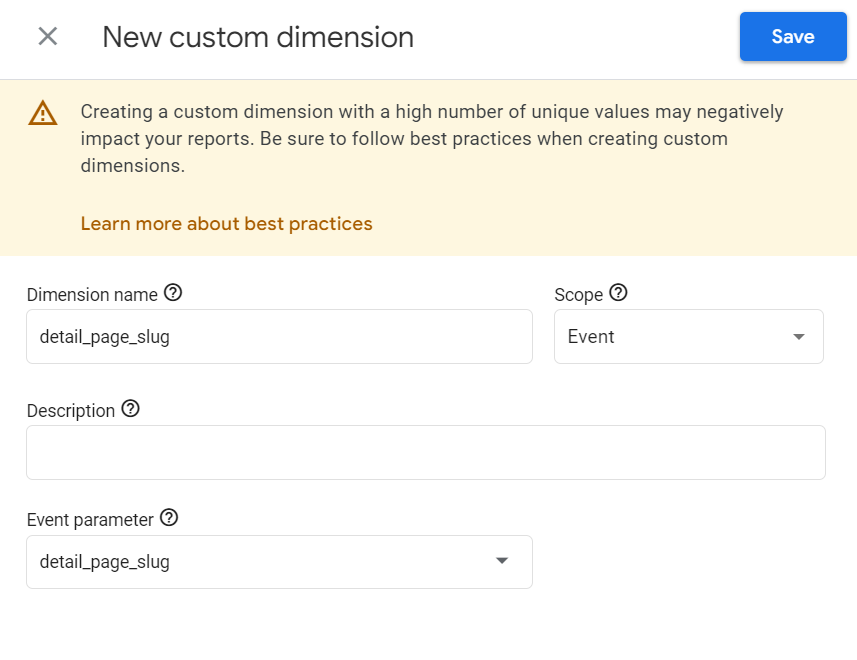
Embed Google tags on the front-end site
See Tutorial: How to link Google Analytics for a detailed guide on how to configure the front-end.
In this tutorial, we will only retrieve the page views for the content pages we want to rank. Therefore, we will send the page_view event as a mounted embedding:
if (process.browser) {
    const slug = this.$route.params.asset_name // Retrieve slug from page URL, etc.
    this.$gtag('event', 'page_view', {
        'detail_page_slug': slug
    })
}
At this stage, please check the frontend display and if the page_view event is being sent correctly, you can confirm the number of page views as shown below by specifying the custom dimension in the GA console.
※ It may take about half a day for the data to accumulate. If you want to check immediately, you can use real-time tracking to verify the parameters of the page_view event.

Set up an additional field for page views in your content structure
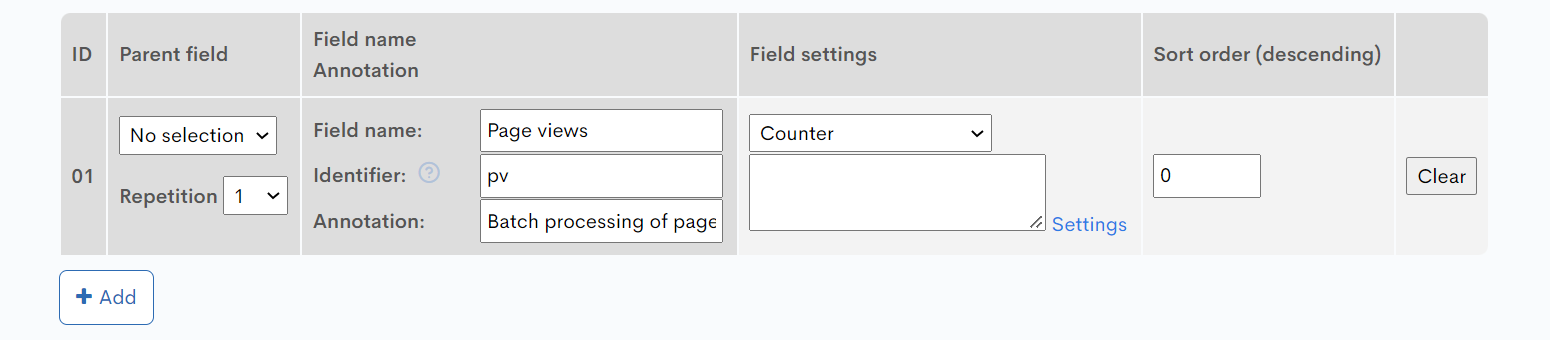 *Make sure you select [Counter] as the field type.
*The identifier value entered here will be used when setting the page views in the contents module.
Confirming PV Count via API
You can verify if you can retrieve the PV count via API by using https://ga-dev-tools.google/ga4/query-explorer/.
- Select
GA4from the toggle switch under "Demos & Tools" on the top left. - Choose the target property from
Select property. - Set the values for
dateRanges,dimensions,metrics,limit, andorderBys. Fordimensions, specify "customEvent:[your custom dimension slug]".
- Execute the Google Analytics Data API by clicking [MAKE REQUEST].

Set the number of page views retrieved as content data
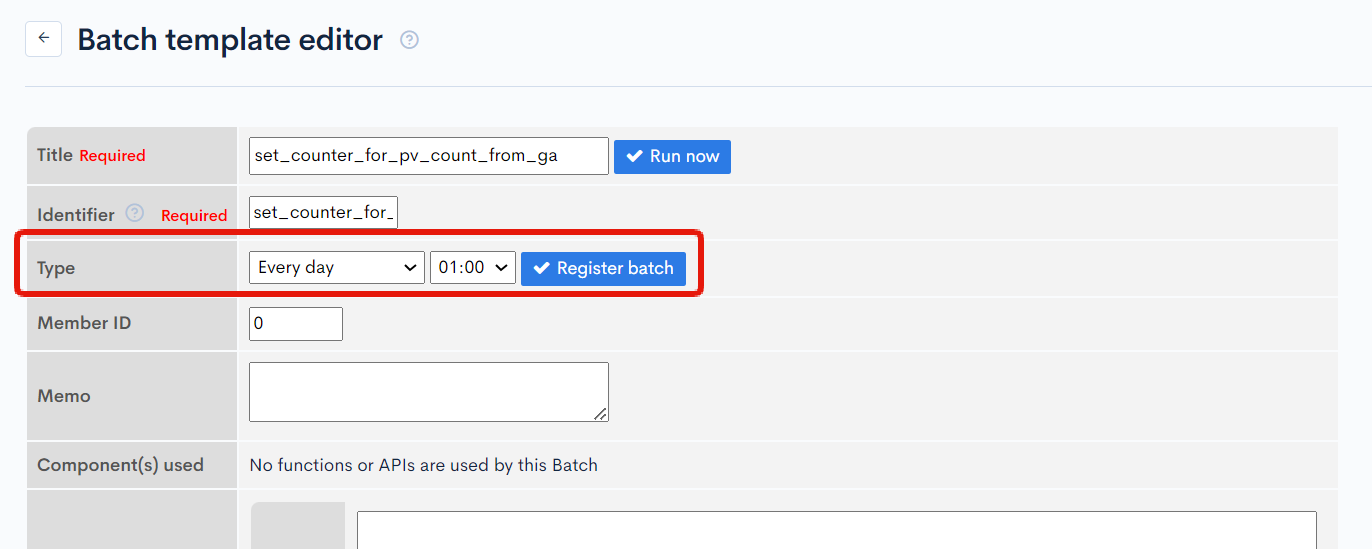
Create a batch process as follows to execute SmartyPlugin and set the page views retrieved as content data.
Click on [Add] from [Operation]->[Batch Template].
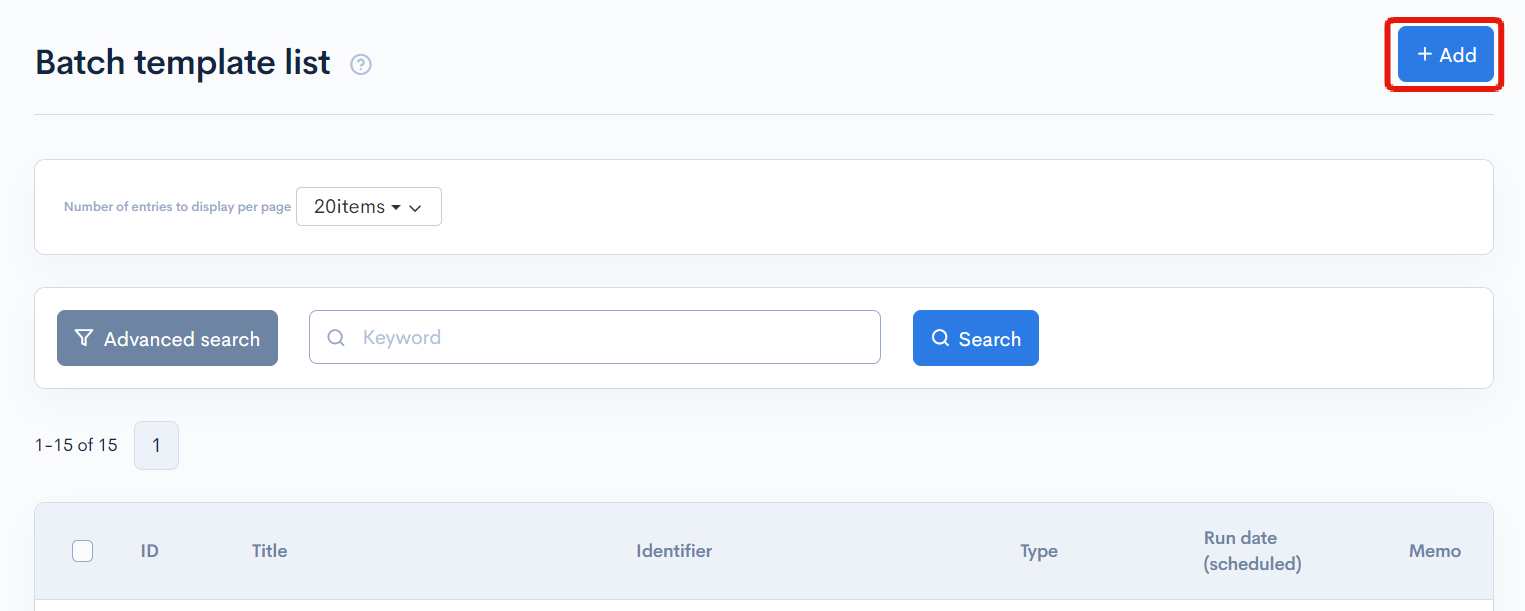
Once the batch processing editing screen opens, add the following batch processing.
{*Retrieve page view count from GA and set it in the counter*}
{googleanalytics var=result
update_column_slug="pv"
update_target_dimension="customEvent:detail_page_slug"
updated_topics_ids='updated_topics_ids'
topics_group_id=1}{*Enter the target content structure ID as the topics_group_id*}

{*Reflects data from the counter in the contents data*}
{assign_array var=ext_data values=''}
{assign var=ext_data.topics_ids value=$updated_topics_ids}
{batch module='topics' name='sync_counter' ext_data=$ext_data}
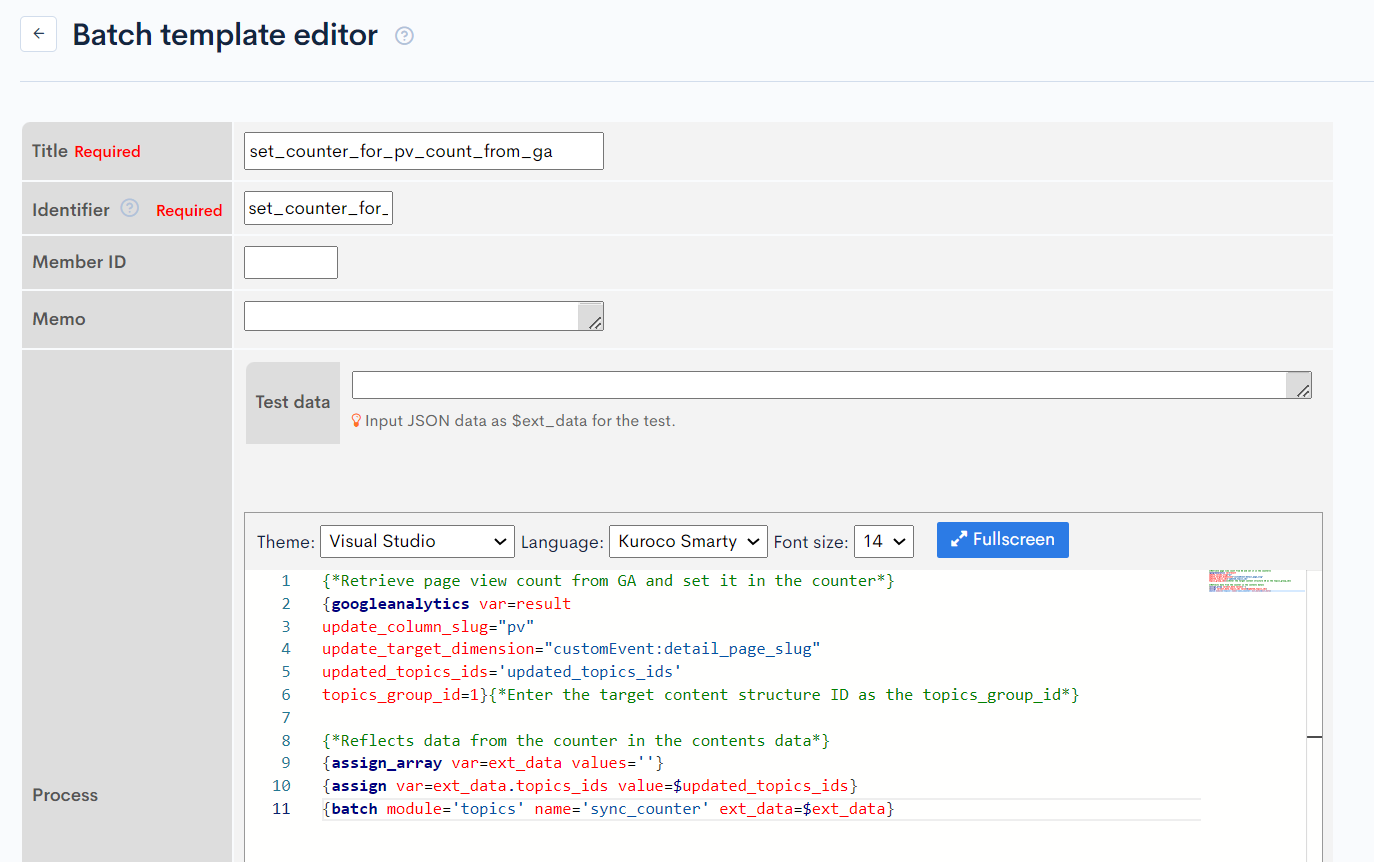
Once added, set the frequency for running the batch processing.
Available parameters
The following parameters are available for the GA plugin:
| Parameter | Description |
|---|---|
var | Variable name assigned to the retrieved result |
viewId | View ID in GA |
update_column_slug | Slug of the column to be updated |
update_column_index | Number of columns to be updated (for repeating columns) |
update_target_metric | Metric used (default: ga:pageviews) |
update_target_dimension | Dimension used (default: ga:pagePath) |
topics_group_id | Target content structure ID |
startDate | Counter start date (default: 7 days ago) |
endDate | Counter end date (default: today) |
queries | Direct query specifications |
Create a list API to retrieve the views of 10 pages in descending order for ranking generation
| Field | Value |
|---|---|
| Category | Content |
| Model | Topics |
| Operation | list |
| Parameter |
|
Support
If you have any other questions, please contact us or check out Our Slack Community.